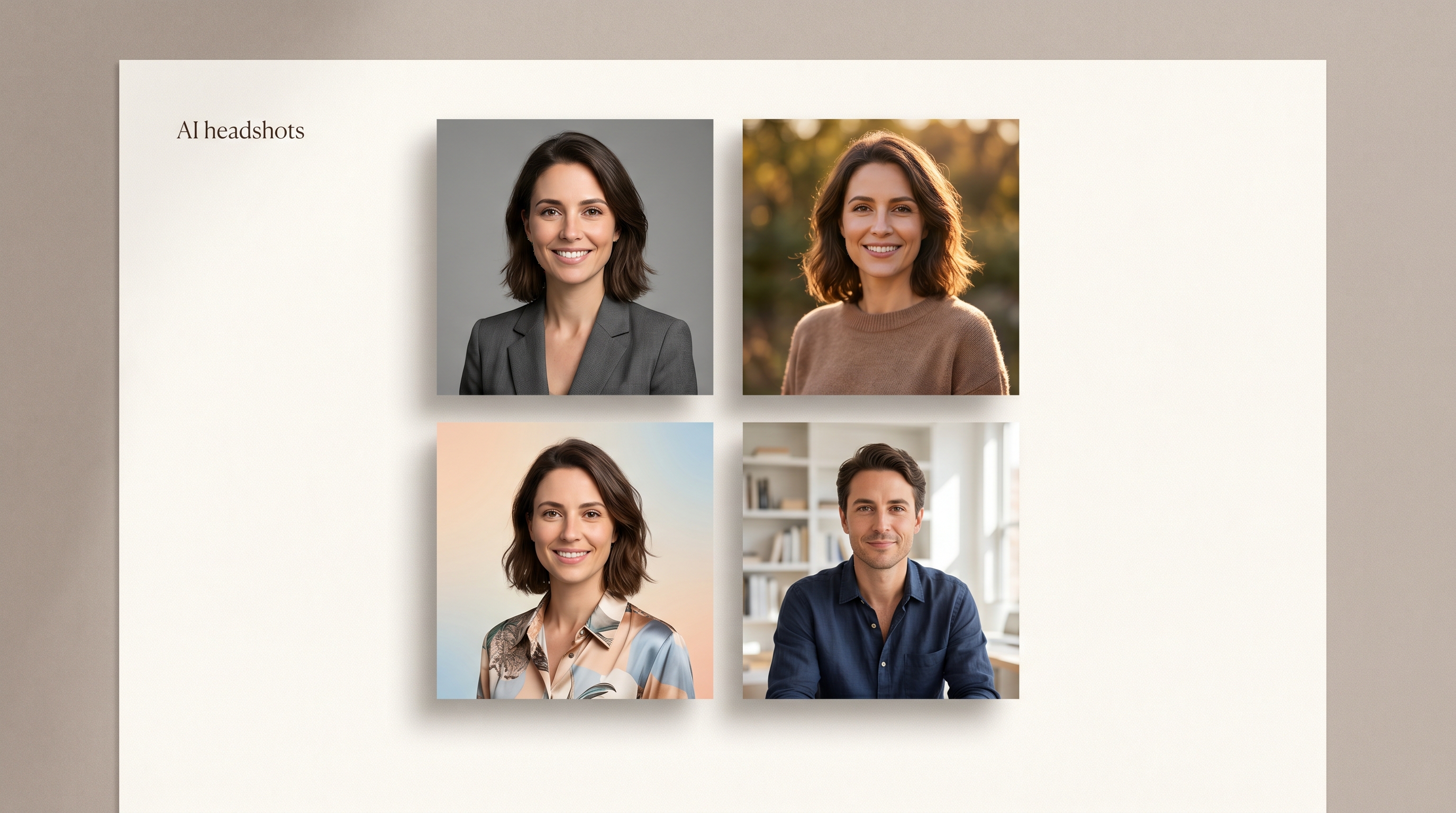
LensCherry vs HeadshotPro: Which AI Headshot Tool Is Better? (2026)
An honest, up-to-date comparison of LensCherry and HeadshotPro. Pricing, features, photo quality, and which AI headshot generator fits your needs in 2026.
If you need a single set of professional headshots and nothing else, HeadshotPro is a solid choice. If you want an ongoing creative toolkit with AI headshots, character creation, virtual try-on, and video generation, LensCherry gives you a lot more for the same price point. Both tools produce good headshots, but they serve different needs.
Full Disclosure: We Built LensCherry
Let's get this out of the way. We built LensCherry, so we're obviously biased. We think our product is great (why else would we build it?). But we also respect what HeadshotPro has done. They've built a focused, well-executed product that serves a clear purpose.
This comparison is our honest attempt to lay out the differences so you can make an informed decision. We'll call out where HeadshotPro genuinely wins, because they do in certain scenarios. If all you need is a quick set of professional headshots with zero learning curve, that matters.
Quick Comparison Table
Feature
LensCherry
HeadshotPro
Pricing
From $4.99 (credit packs)
~$29 one-time (per pack)
Free tier
Yes, 3 credits
No
Personalized model creation
Persistent models from 3-6 selfies
Upload photos per session
Quick Shots
Yes, 1 photo in 30 seconds
Related Articles
No
Virtual try-on
Yes
No
AI video generation
Yes
No
AI voiceovers
Yes
No
Character creation
Yes
No
Output resolution
4K
Standard
Best for
Ongoing creative needs
One-time headshots
Pricing: One-Time vs. Subscription
This is where the comparison gets interesting, because neither pricing model is objectively better. It depends entirely on how you plan to use the tool.
HeadshotPro charges roughly $29 for a headshot pack. You upload your photos, pick your styles, and get a batch of AI-generated headshots. That's it. Simple, predictable, one and done. If you need headshots once a year for your LinkedIn profile, that's a perfectly reasonable deal.
LensCherry uses credit packs starting at $4.99 for 10 credits. We also offer a free tier with 3 credits so you can try before you commit. The credit pack model means you buy only what you need, with no subscription. It works well if you're creating content regularly, need headshots for a growing team, or want access to our full suite of creative tools beyond just headshots.
Here's the math. If you only need headshots once, HeadshotPro's one-time fee wins. If you need new photos every month, different styles, team headshots, marketing visuals, or any of our other creative features, LensCherry's subscription delivers far more value per dollar.
Quality Comparison
Both tools produce professional-quality headshots. Let's be real about that. HeadshotPro has been in the game for a while and they've refined their output to a high standard. Their headshots look clean, well-lit, and suitable for professional use.
LensCherry outputs up to 4K resolution, which gives you more flexibility for print materials, large displays, and cropping. Our AI models are created from 3-6 selfies you upload, which means the likeness tends to be very accurate and consistent across different styles and settings.
Where we see the biggest quality difference is in variety. HeadshotPro gives you a set number of styles within their headshot templates. LensCherry lets you generate virtually any style, background, outfit, or setting you can describe. Want a corporate headshot in a modern office? Done. Want the same AI model in a creative portrait for your personal brand? Also done. Same model, unlimited creative directions.
Features: Headshots vs. Full Creative Suite
This is the biggest differentiator between the two products, and it's not close.
HeadshotPro does one thing: professional headshots. They do it well, but that's the full extent of the product. You upload photos, choose styles, and receive headshots.
LensCherry is a web-based creative studio that includes headshots as one of many capabilities:
AI Character Creation. Build persistent AI characters from 3-6 selfies. These characters can be reused across unlimited photo sessions, styles, and creative projects. Your AI model doesn't expire or disappear after one use.
Quick Shots. Need a photo fast? Upload a single image and get a styled result in about 30 seconds. No separate model setup required.
Virtual Try-On. See how clothes, accessories, and outfits look on your AI model before you buy them. Useful for e-commerce, fashion content, or just figuring out what to wear to that conference.
AI Video Generation. Turn your AI photos into short video clips. Great for social media content, presentations, and marketing materials.
AI Voiceovers. Generate voice content to pair with your AI visuals. Useful for explainer videos, social content, and presentations.
If you only need headshots, many of these features won't matter to you. But if you're a content creator, marketer, small business owner, or anyone who regularly needs visual content, the full suite makes LensCherry a very different proposition.
Ease of Use
HeadshotPro wins on simplicity. Their flow is straightforward: upload photos, pick styles, get results. There's almost no learning curve. You don't need to understand AI models, credits, or any creative tools. It's designed to be a quick in-and-out experience.
LensCherry has more features, which naturally means there's a bit more to learn. We've worked hard to make the interface intuitive, and most users get comfortable within their first session. But we won't pretend it's as simple as HeadshotPro's single-purpose flow. More capability comes with a slightly steeper initial learning curve.
That said, our Quick Shots feature is just as simple as HeadshotPro for basic headshot needs. Upload one photo, get a styled result in 30 seconds. No separate model setup, no complex settings.
AI Models: Session-Based vs. Persistent
This is a technical difference that has big practical implications.
HeadshotPro works on a session basis. You upload your photos, they generate your headshots, and that's the end of the interaction. If you want new headshots six months later, you start over. Upload new photos, pay again, wait again.
LensCherry creates a persistent AI model from your 3-6 selfies. That model lives in your account and can be reused forever. Want new headshots next month in a completely different style? Just generate them using your existing model. No re-uploading, no rebuilding the model, no additional setup.
This matters a lot for anyone who needs ongoing content. Your AI model gets used for headshots today, a virtual try-on tomorrow, and a creative portrait next week. It's always there, always ready, and always consistent.
For teams, this is even more valuable. Create a model for each team member once, then generate matching headshots for the whole company whenever you need them. New hire joins? Spin up their model and generate headshots that match the rest of the team in minutes.
Where HeadshotPro Wins
We said we'd be honest, so here it is. HeadshotPro is the better choice if:
You need headshots once. Their one-time pricing model is simpler and cheaper for a single use. Pay $29, get your headshots, move on with your life.
You want zero complexity. Their product is focused and streamlined. No subscription to manage, no credits to track, no features you won't use. Upload, generate, download. Done.
You don't need ongoing content. If professional headshots are literally the only AI-generated imagery you'll ever need, HeadshotPro's focused approach makes sense. You're not paying for features you won't touch.
You want a proven headshot-specific product. HeadshotPro has been focused on headshots for a long time. That focus shows in the polish of their headshot-specific experience.
Where LensCherry Wins
LensCherry is the better choice if:
You need ongoing creative content. Credit packs make sense for anyone who regularly needs new photos, whether that's headshots, marketing visuals, social content, or creative projects. Buy what you need, when you need it.
You want more than headshots. Virtual try-on, video generation, voiceovers, character creation. If any of these sound useful, LensCherry gives you an entire creative suite for the same starting price as a single HeadshotPro pack.
You value persistent AI models. Create once, generate forever. No re-uploading photos, no re-paying for the same person's headshots in a different style.
You need team headshots. Persistent models make it easy to keep your entire team's headshots consistent and up to date — generate matching shots for new hires using the same look as the rest of the team.
You want 4K output. Higher resolution matters for print, large displays, and future-proofing your images.
Final Recommendation
Choose HeadshotPro if you need a one-time set of professional headshots and nothing more. It's simple, affordable for single use, and well-executed for that specific purpose.
Choose LensCherry if you want a creative toolkit that grows with you. Headshots are just the starting point. With persistent AI models, a full suite of creative features, and 4K output, you get dramatically more capability starting at just $4.99 for a credit pack, with no subscription required.
Most people reading a comparison article like this are probably looking for more than a one-and-done headshot. If that's you, LensCherry is likely the better fit.
Try LensCherry Free
Not sure yet? You don't have to commit. Sign up for free and get 3 credits to test everything out. No credit card required. Create an AI model, generate some headshots, and see the quality for yourself before you decide.
Related Comparisons
If you're still shopping around, these honest side-by-sides cover the other major AI headshot tools too:
For a single headshot pack, HeadshotPro's roughly $29 one-time fee is cheaper than most LensCherry users end up spending if they generate heavily. For anyone who will use AI photos more than once, LensCherry's credit packs (from $4.99, credits never expire) typically work out cheaper per image and cover far more than just headshots.
Does HeadshotPro have a free trial?
No. HeadshotPro is a paid-only product with no free tier. LensCherry offers 3 free credits on sign-up with no credit card required, which is enough to create a model and try generation before committing.
Can I reuse my AI model on HeadshotPro?
No. HeadshotPro generates headshots from the photos you upload in that session and does not retain a persistent model for future use. LensCherry creates a model you can reuse indefinitely across headshots, creative portraits, virtual try-on, and video.
Which has better photo quality?
Both produce professional-grade headshots suitable for LinkedIn, company pages, and profile use. LensCherry outputs up to 4K and offers more style variety because you can prompt any scene, outfit, or background. HeadshotPro is focused on polished corporate headshot templates.
Which should I choose for LinkedIn headshots?
If you need one LinkedIn headshot and nothing else, either tool will work and HeadshotPro is simpler. If you want to refresh your headshot occasionally, experiment with different styles, or use the same AI model for other photo needs, LensCherry is the better long-term fit.
The Way to My Heart Is: 45 Hinge Prompt Examples That Sound Like a Real Person